Automated organisation is here
Originally sent to the mailing list.
The last of the week's big updates is that you can now connect your AI to Johnny.Decimal. Now Claude or ChatGPT or whatever else you use has access to:
- The site documentation, blog posts, and 5+ years of my forum posts.
- So it can give you advice on the system and how it should be used.
- The Life Admin and Small Business Systems – all 50,000+ words of explanatory text, exceptions, examples.
- So it can tell you where to file stuff.
- The Workbook process
- So you can build your own system.
- Transcripts of all of our videos.
- So it can point you to a specific video that answers your question.
Your existing Pro account just got an upgrade: all of this just works for you, today. To read the SBS, you need a Business account. Free and Personal accounts can read the documentation including the Workbook. (Get a free account on the home page. Upgrade your account at Products.)
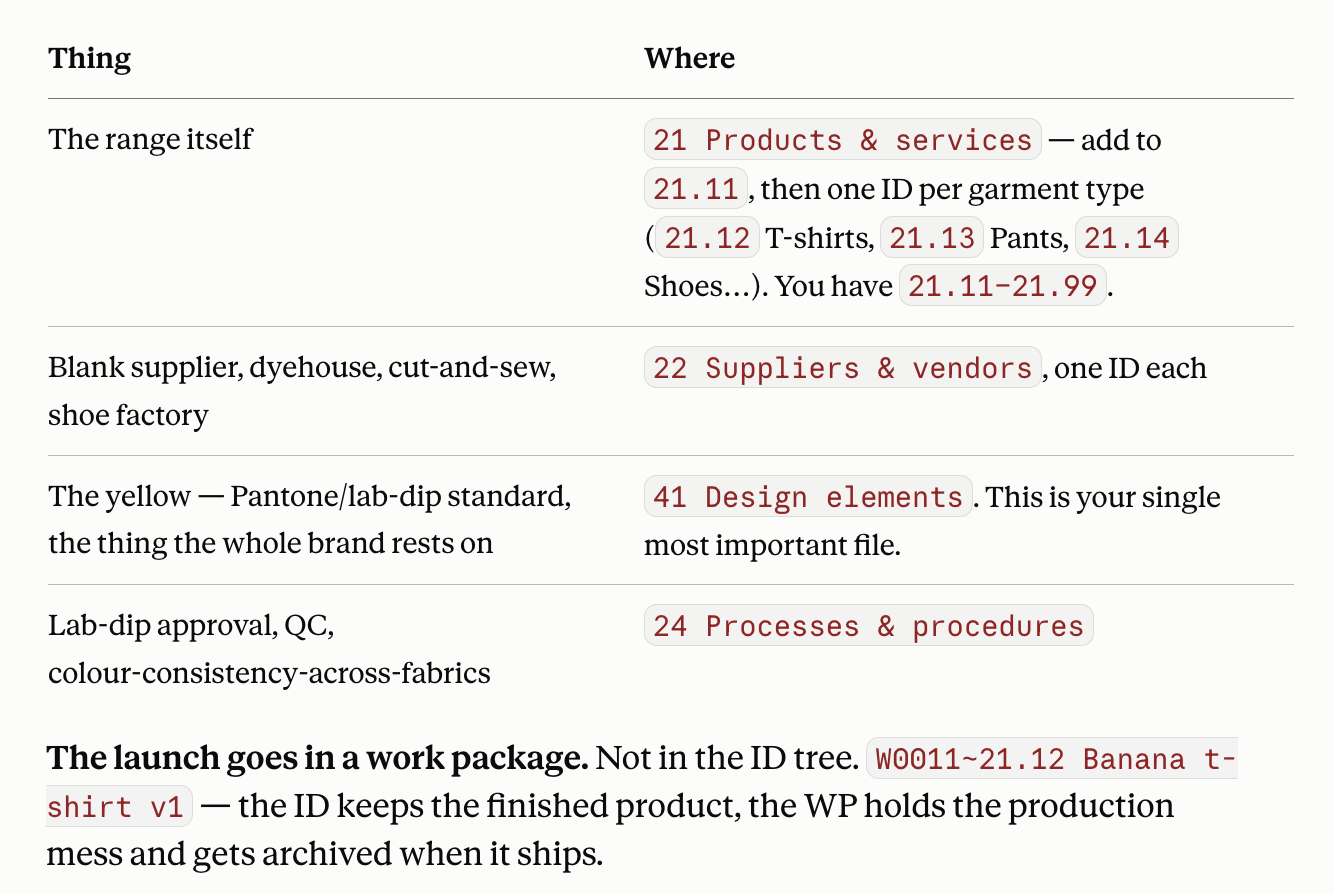
I can ask it a question about planning a new range of banana-coloured clothing and it can map it out in the Small Business System.
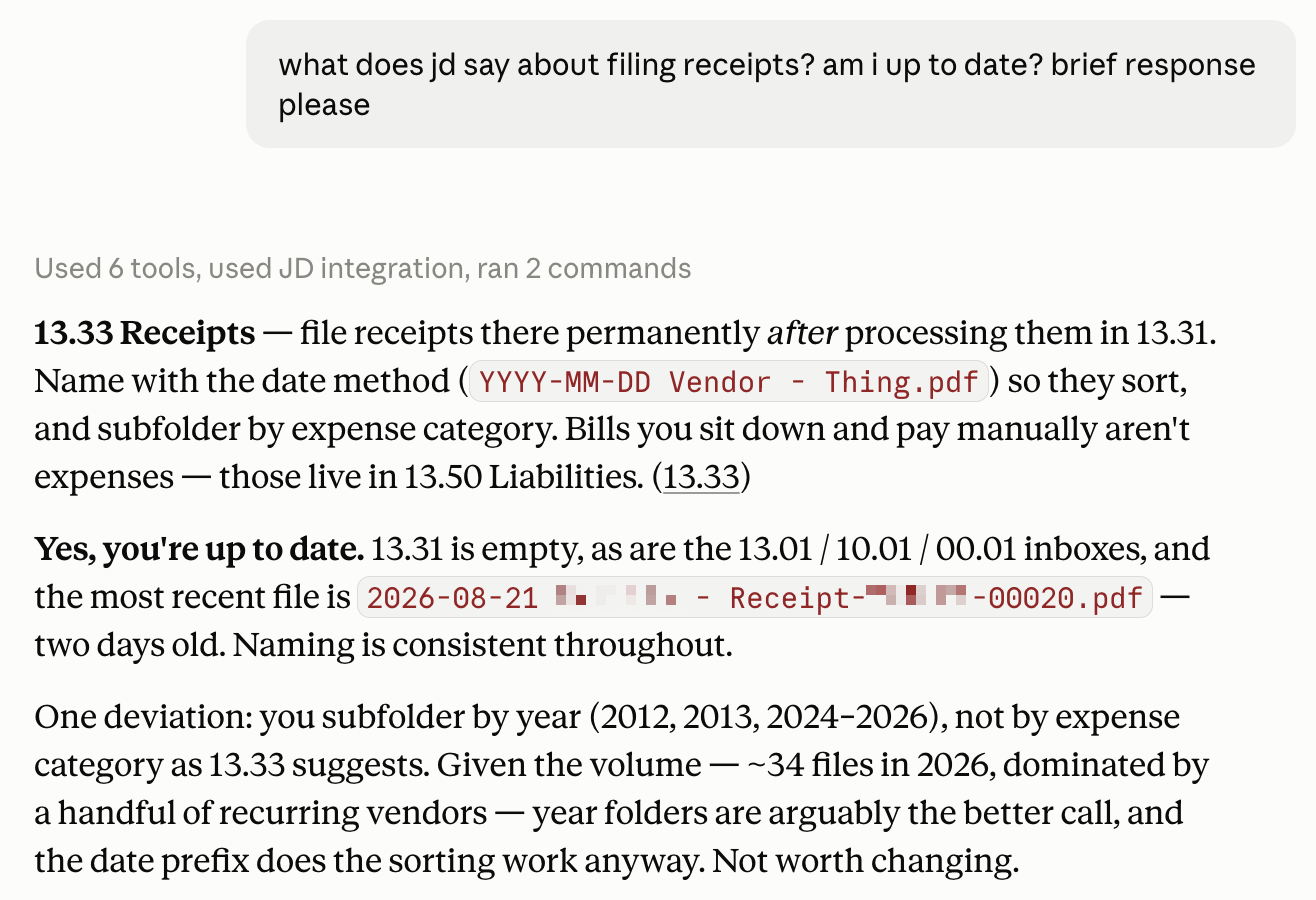
Using your tool's 'cowork' feature you can connect it to your local filesystem and JDex. Now you can ask it questions about your own data. Here, it correctly notes that I've deviated from our published advice on filing receipts! I'll update that guidance in the Small Business System…
Automated organisation is here
This is the beginning of truly automated organisation. Point Claude at your downloads folder and it'll tell you what needs filing, and where it should go.
I find myself not doing that, if I'm honest. I like knowing where my stuff goes: and Johnny.Decimal makes it easy anyway. I'm still faster than Claude at filing my receipts.
I have found that working with Claude in a very structured environment is a revelation. The other day I had it write a script to monitor my Obsidian vault for conflicts. Now when me and Lucy edit a file at the same time it sends me a Telegram alert. Magic.
This is the future: we'll all write our own custom utilities to help us stay on top of stuff. But that script … where is it? It still has to be somewhere. Having Claude connected to my JDex means I can tell it to "document the script at 23.12" (my ID for Obsidian, as a tool in my business) and it does that, wiki-linking to 14.11+ Curium (the server the script runs on).
Having these short, consistent, unambiguous numbers that I can use to refer to anything in my life or business is proving to be a superpower. I can't imagine working without them.
How to connect
This is documented at the MCP server page. Updates will be published there, and on the blog.
Here's a 10-minute video showing you how to connect your agent to the server. This is still young technology, so it's a bit of a fussy setup. If you need a hand, use the MCP server support post on the forum or in the #AI channel on Discord.
Also see the skills and config
The server works great with my agent skills, and they in turn work well with the new configuration file.
Lots more coming
We think we're going to record a 'Learn with Lucy – AI' series. She has no idea how this works, and she'd like to. We'd like to show you how you can use these tools safely and effectively to manage your life and business. No hype, just useful advice. Let us know what you need.
This will all appear on your Pro account as it's released. Buy it once, and we'll keep making it more valuable.
Privacy
I say it on that page, and in the video, and I want to reinforce it here. When you connect to an MCP server – any MCP server – your agent necessarily has to send that server some of your data so that the server knows what to send back. And of course the server knows who you are, because you're authenticated to it.
I do not and will never log any of this data. It hits my server, a function responds, and nothing personal is ever saved, logged, or viewed by me. Not your user ID, name, email, IP address, or any of the text that your agent sent.
I log exactly two things: the name of the agent (e.g. claude-code/2.1.240) and the name of my tool that was called (e.g. list_documentation). This helps me troubleshoot connectivity issues.
When you connect to an MCP server the dialog says "ensure that you trust the owner of this server". That is absolutely the case: you need to trust me. If you don't, don't use the server.
🇯🇵🚅🐄
Big week! We're going on a trip to Hokkaido, Japan tomorrow. We get to go on the Hayabusa Shinkansen, then I plan on eating my own weight in dairy products. :-)
j.